Let's make a key-value storage engine
Let's see how high throughput key-value databases work, not only key-value but a robust high speed key-value storage engine is also the base of any nosql database, example being everyone's favourite (everyone hates it) MongoDB
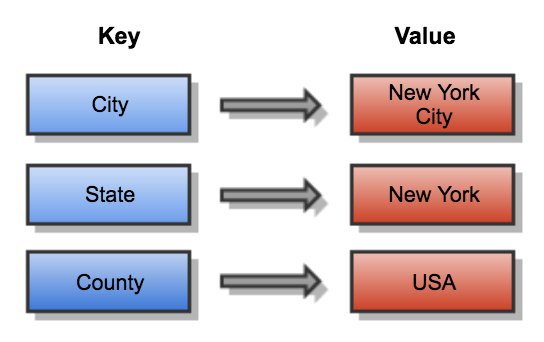
Note:- everything i made is heavily inspired (copied) from one of the biggest and battle tested key-value storage engines - rocksDB (by meta), levelDB (by google), wiredTiger (the default engine used by mongoDB)
What is a key-value storage engine
In simple words, its a way of efficiently storage key-value pairs, you can store a value and can retreive it later using it's key. yayayayaya, that's it.
there are multiple ways we can do this:
1. The easy one (use hashmap in memory):
the easiest way to store kv pairs is to use a Data Structure that's made for it - fucking Hashmap
2. The slow one (store in a file):
store each kv pair in a file, at the time of retreival, scan the whole file and match strings to get the desired value (might take very long for huge datasets, but whatever).
3. The hybrid approach:
store some of it in hashmap, and some in file system, getting both efficiency and speed.
Hybrid approach:
storing the whole hashmap is not a very genius idea for large datasets, it might eat up huge amount of RAM, so one better way it to store the actual data on the disk with the offset being stored in the hashmap.
for example:
we have 5 kv pairs:
user:1 marshal
user:2 bruno
user:3 martin
user:4 west
user:5 fatrat
so either we can store this as a hashmap in memory itself, but the issue is, when this dataset grows, lets say to 100k users the memory usage will sky rocket and after a time it will start to overflow.
so what we can do is, we'll have a file where we'll store the actual data, and keep the offset of that data in that particular file
the hashmap will look something like this:
{
"user:1": 0,
"user:2": 24,
"user:3": 43,
"user:4": 65,
"user:5": 82,
}
these numbers are the offset in the file of that particular kv pair (after how much bytes that kv pair is present)
the file will look something like this:
24 | "user:1" | "marshal" 19 | "user:2" | "bruno" 22 | "user:3" | "martin" 17 | "user:4" | "west" 22 | "user:5" | "fatrat"
note that these lines and all are just for representation, storing all this as raw bytes would be a better approach in real use case
but what are the numbers before every kv entry??
that's the number of bytes that particular kv pair consumes.
so if we want to retrieve "user:3" first we'll get the offset from the hashmap which is 65, then we'll open the file and seek to the position we got from hashmap, read the first 4 bytes (that's the size of the kv pair), here it's 22 so now we'll read the next 22 bytes which will give us "user:3" "martin"
yayayaya we made a very basic, efficient, fast af working kv storage engine.
now what if we stop the process in which this storage engine was running, we'll lose the hashmap, so in the next start we read the whole file one by one and create the Hashmap again.
but for very big data this might take too much time, which is not very great.
but this approach will also hit the upper limit of RAM usage when very big dataset, let's say we have 5 million entries, lets assume each to be of 64 bytes that will approximately consume 330MB, which still is too much.
so this approach is good for small numbers of entries.
The standard approach
the approach that most of the nosql database storage engines use is called - LSM trees, which stands for Log Structured merge trees, using SSTables (string sorted tables).
sounds complicated but it's actually pretty straightforward once you get it.
How LSM trees work:
The write path:
when you write a kv pair, it doesn't go directly to disk. here's what happens:
-
Write to WAL (Write Ahead Log): first thing, we append the write to a log file on disk. this is for crash recovery - if the process crashes, we can replay this log.
-
Write to Memtable: the kv pair goes into an in-memory sorted structure called a memtable (usually a red-black tree or skip list). this keeps everything sorted by key.
-
Flush to SSTable: when the memtable reaches a certain size (say 4MB), it gets written to disk as an SSTable (Sorted String Table). since the memtable was already sorted, writing it to disk is just a sequential write - fast as fuck.
-
New Memtable: clear the old memtable and start fresh.
What's an SSTable?
it's just a file with sorted kv pairs stored sequentially:
key1 | value1 | key2 | value2 | key3 | value3 ...
the beauty is that it's immutable - once written, never modified. this makes concurrent reads super easy.
but here's the trick - we don't keep all keys in memory. instead we use sparse indexing. we only keep every nth key (let's say every 10th) in memory with its offset.
so for 1000 keys, we only store 100 in memory. when searching for a key, we find the closest key in the sparse index and scan from there. this cuts down memory usage massively.
The read path:
reading is a bit more involved:
- check the current memtable (it has the latest writes)
- if not found, check the previous memtable (if it's being flushed)
- if still not found, check SSTables from newest to oldest
since SSTables are sorted, we can use binary search within each file.
The problem with this:
over time you'll have a shit ton of SSTables. every 4MB of writes creates a new file. reading becomes slower because you have to check multiple files.
this is where compaction comes in.
Compaction
compaction is the process of merging multiple SSTables into one. think of it as garbage collection for your database.
there are different strategies:
Size-tiered compaction: merge SSTables of similar size together.
Leveled compaction (what rocksDB uses): organize SSTables into levels.
- level 0: newest SSTables (can have overlapping key ranges)
- level 1: 10x bigger than level 0
- level 2: 10x bigger than level 1
- and so on...
when a level gets too big, we pick some SSTables from that level and merge them with the next level. this keeps the number of files manageable and speeds up reads.
during compaction, we also remove old versions of keys and delete tombstones (more on that below).
Deletions:
you can't just delete from an SSTable because it's immutable. instead, you write a tombstone - a special marker that says "this key is deleted".
during reads, if we encounter a tombstone, we know the key is deleted. during compaction, we can finally remove both the tombstone and any older versions of that key.
Why is this so fast?
- Writes are append-only: no random disk seeks, just sequential writes
- Reads are optimized: sparse indexing + bloom filters (more on this later)
- Compaction runs in background: doesn't block reads or writes
- Cache-friendly: OS page cache handles frequently accessed SSTables
The trade-offs:
nothing is free in this world:
- Write amplification: same data gets written multiple times (memtable → SSTable → compacted SSTable)
- Space amplification: need extra space during compaction
- Complexity: way more code than our simple offset approach
but for handling millions of operations per second, this is the way.
Bloom filters
here's a neat optimization - before checking an SSTable, we consult its bloom filter.
a bloom filter is a data structure that can tell you:
- "definitely not in this file" (100% accurate)
- "maybe in this file" (might be wrong)
if the bloom filter says "definitely not here", we skip checking that entire SSTable. this saves a ton of disk reads.
bloom filters are tiny (few KB) compared to the actual SSTable (MB or GB), so we can keep all bloom filters in memory.
Let's walk through an example
let's say we're building a cache for user sessions. here's how everything works together:
Writing data:
// user logs in, we store their session
engine.put("session:user123", "{"token": "abc...", "expires": 1234567890}");
engine.put("session:user456", "{"token": "def...", "expires": 1234567891}");
engine.put("session:user789", "{"token": "ghi...", "expires": 1234567892}");
what happens internally:
- each write goes to the WAL first:
WAL file: PUT session:user123 {"token": "abc...", "expires": 1234567890} PUT session:user456 {"token": "def...", "expires": 1234567891} PUT session:user789 {"token": "ghi...", "expires": 1234567892}
- then goes into the memtable (sorted):
Memtable (BTreeMap): session:user123 → {"token": "abc...", ...} session:user456 → {"token": "def...", ...} session:user789 → {"token": "ghi...", ...}
- after 1000 more writes, memtable is full (4MB). flush it to disk as
sstable_001.sst:
sstable_001.sst: session:user001 → ... session:user002 → ... ... session:user123 → {"token": "abc...", ...} ... session:user789 → {"token": "ghi...", ...} ... session:user999 → ...
- create a sparse index for this SSTable (every 100th key):
Sparse Index (in memory): session:user000 → offset: 0 session:user100 → offset: 45000 session:user200 → offset: 89000 ... session:user900 → offset: 405000
-
create a bloom filter for this SSTable.
-
clear the memtable and WAL, start fresh.
Reading data:
now someone tries to read a session:
let session = engine.get("session:user456");
what happens:
-
check memtable - not there (we flushed it)
-
check SSTables - we have
sstable_001.sst -
check bloom filter for
sstable_001.sst:- bloom filter says: "maybe in this file"
-
check sparse index:
- looking for
session:user456 - sparse index has
session:user400 → offset: 180000andsession:user500 → offset: 225000 - so we know
session:user456is between bytes 180000 and 225000
- looking for
-
read from disk:
- seek to offset 180000
- read and scan until we find
session:user456or reach offset 225000 - found it! return the value
if the bloom filter said "definitely not here", we would've skipped steps 4-5 entirely. that's huge for performance.
Updating data:
// user123 logs in again, new session token
engine.put("session:user123", "{"token": "xyz...", "expires": 9999999999}");
what happens:
-
write goes to WAL and memtable (same as before)
-
now we have:
- memtable:
session:user123 → {"token": "xyz...", ...}(new value) sstable_001.sst:session:user123 → {"token": "abc...", ...}(old value)
- memtable:
-
when reading
session:user123:- check memtable first → found it! return the new value
- never need to check SSTables
the old value in the SSTable will be removed during compaction.
Deleting data:
// user logs out, delete their session
engine.delete("session:user456");
what happens:
- write a tombstone to WAL and memtable:
Memtable: session:user456 → TOMBSTONE
-
when reading
session:user456:- check memtable → found TOMBSTONE → return null (key deleted)
-
during compaction, when we merge SSTables:
- see the tombstone for
session:user456 - drop both the tombstone and the old value from
sstable_001.sst - they're gone forever
- see the tombstone for
Compaction example:
let's say after a while we have:
sstable_001.sst- 100k keys (10MB)sstable_002.sst- 100k keys (10MB)sstable_003.sst- 100k keys (10MB)
many keys are duplicated across files (updated values).
compaction happens:
Before: sstable_001: session:user123 → old_value_1 sstable_002: session:user123 → old_value_2 sstable_003: session:user123 → new_value After compaction: sstable_004: session:user123 → new_value
we went from 30MB (with duplicates) to 10MB (only latest values). reading is faster because we only check one file instead of three.
Performance optimizations:
-
for even better performance, we can keep multiple memtable in memory, with one being mutable (new writes go here) and multiple immutable (only read from here).
-
keep a LRU (last recently used) cached for blocks.
-
run the compaction and fs write part on a separate thread for non blocking reads/write.
Benchmarks
enough talks let's check if this implementation even works as good as it sounds
the benchmark ran on i5 11th gen, 12GB of RAM, and a gen 4 NVME ssd with 2 million entries
DB open latency: 502.653µs Writes: 1748079 ops (174807.90 ops/sec) Reads: 1378766 ops (137876.60 ops/sec) Deletes: 948925 ops (94892.50 ops/sec) --- Write Latency (ns) --- p50: 4915 ns, p90: 5883 ns, p99: 18555 ns --- Read Latency (ns) --- p50: 6794 ns, p90: 8169 ns, p99: 28793 ns --- Delete Latency (ns) --- p50: 4837 ns, p90: 5788 ns, p99: 16660 ns
in the worst cases:
writes took ~18us
reads took ~28us
deletions took ~16us
this can be improved more if configured properly
these benchmarks are comparable to rocksDB (according to chatGPT)
next time let's see how to convert a simple key-value storage engine into a full fledged nosql document database
for those who don't know what a document databse is, mongoDB is one.
let's try to replicate mongoDB next time but using the sqlite approach, let's make a full fledged nosql embedded database which works withing your app rather than a separate process.
btw here's the source code: https://github.com/07calc/keylite
Thanks for reading!
If you read this far, get a job you no-lifer (love you).
These are all my personal opinions and beliefs. If you find something wrong — please don’t tell me. Let me live in my own bubble.
Until next time.